Note
Go to the end to download the full example code or to run this example in your browser via Binder.
Geometry Module Overview#
This example provides a quick overview of the pyinterp.geometry module,
demonstrating common workflows and typical usage patterns. For detailed
coverage of specific topics, see the focused examples linked below.
Quick Links to Detailed Examples:
Basic Geometric Primitives: Basic geometric objects (Point, LineString, Polygon, etc.)
Spatial Predicates and Relationships: Spatial relationships and queries
Geometric Operations: Geometric transformations and set operations
Advanced Geometric Features: Coordinate systems, RTree indexing, performance
Satellite-Specific Geometric Operations: Satellite track analysis and crossovers
What is the Geometry Module?
The pyinterp.geometry module provides comprehensive tools for working with
geometric data in both geographic (lon/lat on a spheroid) and cartesian (x/y
plane) coordinate systems. It offers:
Primitives: Point, LineString, Polygon, and their Multi- variants
Algorithms: Distance, area, intersection, union, simplification, etc.
Coordinate Systems: Geographic (WGS84, GRS80, etc.) and Cartesian
Spatial Indexing: RTree for efficient nearest-neighbor queries
Satellite Tools: Crossover detection, swath calculations
Let’s demonstrate a typical workflow covering the most common operations.
import cartopy.crs
import cartopy.feature
import matplotlib.pyplot
import numpy

from pyinterp.geometry import geographic
Workflow 1: Creating and Analyzing Geographic Shapes#
Create a polygon representing a study area and analyze points within it.
wgs84 = geographic.Spheroid()

# Define a study area (simplified Mediterranean region)
study_area_lon = numpy.array([0.0, 0.0, 15.0, 15.0, 0.0], dtype=numpy.float64)
study_area_lat = numpy.array(
    [35.0, 45.0, 45.0, 35.0, 35.0], dtype=numpy.float64
)
study_area = geographic.Polygon(
    geographic.Ring(study_area_lon, study_area_lat)
)

print("Study Area Properties:")
area = geographic.algorithms.area(study_area, spheroid=wgs84)
perimeter = geographic.algorithms.perimeter(study_area, spheroid=wgs84)
print(f"  Area: {area * 1e-6:.2f} km²")
print(f"  Perimeter: {perimeter * 1e-3:.2f} km")

# Create observation points
cities = {
    "Paris": geographic.Point(2.35, 48.86),
    "Rome": geographic.Point(12.50, 41.90),
    "Barcelona": geographic.Point(2.17, 41.39),
    "Vienna": geographic.Point(16.37, 48.21),
}

# Check which cities are in the study area
print("\nCity Containment:")
for name, point in cities.items():
    is_inside = geographic.algorithms.covered_by(point, study_area)
    distance_to_boundary = geographic.algorithms.distance(
        point, study_area, spheroid=wgs84
    )
    print(
        f"  {name:12s}: {'Inside' if is_inside else 'Outside':8s} "
        f"({distance_to_boundary * 1e-3:8.1f} km from boundary)"
    )
Study Area Properties:
  Area: 1418486.25 km²
  Perimeter: 4769.76 km

City Containment:
  Paris       : Outside  (   413.7 km from boundary)
  Rome        : Inside   (     0.0 km from boundary)
  Barcelona   : Inside   (     0.0 km from boundary)
  Vienna      : Outside  (   371.9 km from boundary)
Workflow 2: Distance and Path Analysis#
Calculate distances and create paths between locations.
paris = cities["Paris"]
rome = cities["Rome"]

# Calculate distance using different strategies
print("\nDistance Paris to Rome:")
for strategy_name, strategy in [
    ("VINCENTY", geographic.algorithms.VINCENTY),
    ("KARNEY", geographic.algorithms.KARNEY),
]:
    distance = geographic.algorithms.distance(
        paris, rome, spheroid=wgs84, strategy=strategy
    )
    print(f"  {strategy_name}: {distance * 1e-3:.2f} km")

# Calculate azimuth (bearing)
azimuth = geographic.algorithms.azimuth(
    paris, rome, spheroid=wgs84, strategy=geographic.algorithms.VINCENTY
)
print(f"\nBearing Paris → Rome: {numpy.degrees(azimuth):.1f}°")

# Create a path and interpolate waypoints
path = geographic.LineString(
    numpy.array([paris.lon, rome.lon], dtype=numpy.float64),
    numpy.array([paris.lat, rome.lat], dtype=numpy.float64),
)

path_length = geographic.algorithms.length(path, spheroid=wgs84)
midpoint = geographic.algorithms.line_interpolate(
    path, path_length * 0.5, spheroid=wgs84
)

print("\nPath Analysis:")
print(f"  Total length: {path_length * 1e-3:.2f} km")
print(f"  Midpoint: ({midpoint.lon:.2f}°, {midpoint.lat:.2f}°)")
Distance Paris to Rome:
  VINCENTY: 1107.40 km
  KARNEY: nan km

Bearing Paris → Rome: 130.5°

Path Analysis:
  Total length: 1107.40 km
  Midpoint: (7.74°, 45.49°)
Workflow 3: Vectorized Spatial Queries#
Efficiently query many points against a geometry.
# Create a grid of points
lon_grid = numpy.arange(-5.0, 20.0, 1.0, dtype=numpy.float64)
lat_grid = numpy.arange(32.0, 48.0, 1.0, dtype=numpy.float64)
mx, my = numpy.meshgrid(lon_grid, lat_grid)
grid_points = geographic.MultiPoint(mx.ravel(), my.ravel())

# Vectorized containment test
mask_inside = geographic.algorithms.for_each_point_covered_by(
    grid_points, study_area
)

# Vectorized distance calculation
distances = geographic.algorithms.for_each_point_distance(
    grid_points, study_area, spheroid=wgs84
)

print("\nGrid Analysis:")
print(f"  Total points: {len(grid_points)}")
print(f"  Points inside study area: {mask_inside.sum()}")
print(f"  Mean distance to boundary: {distances.mean() * 1e-3:.2f} km")
print(f"  Max distance to boundary: {distances.max() * 1e-3:.2f} km")
Grid Analysis:
  Total points: 400
  Points inside study area: 162
  Mean distance to boundary: 136.45 km
  Max distance to boundary: 571.34 km
Workflow 4: Set Operations on Polygons#
Combine or subtract geometric regions.
# Create two overlapping regions
region1_lon = numpy.array([5.0, 5.0, 12.0, 12.0, 5.0], dtype=numpy.float64)
region1_lat = numpy.array([38.0, 44.0, 44.0, 38.0, 38.0], dtype=numpy.float64)
region1 = geographic.Polygon(geographic.Ring(region1_lon, region1_lat))

region2_lon = numpy.array([8.0, 8.0, 15.0, 15.0, 8.0], dtype=numpy.float64)
region2_lat = numpy.array([36.0, 42.0, 42.0, 36.0, 36.0], dtype=numpy.float64)
region2 = geographic.Polygon(geographic.Ring(region2_lon, region2_lat))

# Compute set operations
intersection = geographic.algorithms.intersection(
    region1, region2, spheroid=wgs84
)
union = geographic.algorithms.union(region1, region2, spheroid=wgs84)
difference = geographic.algorithms.difference(region1, region2, spheroid=wgs84)

print("\nSet Operations:")
if intersection:
    int_area = sum(geographic.algorithms.area(p, wgs84) for p in intersection)
    print(f"  Intersection area: {int_area * 1e-6:.2f} km²")

if union:
    union_area = sum(geographic.algorithms.area(p, wgs84) for p in union)
    print(f"  Union area: {union_area * 1e-6:.2f} km²")

if difference:
    diff_area = sum(geographic.algorithms.area(p, wgs84) for p in difference)
    print(f"  Difference area: {diff_area * 1e-6:.2f} km²")
Set Operations:
  Intersection area: 151627.88 km²
  Union area: 644105.67 km²
  Difference area: 240477.42 km²
Workflow 5: Geometry Simplification and Validation#
Optimize geometries and ensure they are valid.
# Create a complex boundary with many points
n_points = 100
complex_lon = 10.0 + 3.0 * numpy.cos(
    numpy.linspace(0, 2 * numpy.pi, n_points, dtype=numpy.float64)
)
complex_lat = 40.0 + 2.0 * numpy.sin(
    numpy.linspace(0, 2 * numpy.pi, n_points, dtype=numpy.float64)
)
complex_boundary = geographic.LineString(complex_lon, complex_lat)

# Simplify the boundary
simplified = geographic.algorithms.simplify(
    complex_boundary,
    max_distance=50000.0,
    spheroid=wgs84,  # 50 km tolerance
)

print("\nGeometry Simplification:")
print(f"  Original points: {len(complex_boundary)}")
print(f"  Simplified points: {len(simplified)}")
print(
    f"  Reduction: {(1 - len(simplified) / len(complex_boundary)) * 100:.1f}%"
)

# Validate a geometry
test_polygon = geographic.Polygon(
    geographic.Ring(
        numpy.array([0.0, 5.0, 5.0, 0.0, 0.0], dtype=numpy.float64),
        numpy.array([0.0, 0.0, 5.0, 5.0, 0.0], dtype=numpy.float64),
    )
)

is_valid = geographic.algorithms.is_valid(test_polygon)
is_simple = geographic.algorithms.is_simple(test_polygon)
is_empty = geographic.algorithms.is_empty(test_polygon)

print("\nGeometry Validation:")
print(f"  Is valid: {is_valid}")
print(f"  Is simple: {is_simple}")
print(f"  Is empty: {is_empty}")
Geometry Simplification:
  Original points: 100
  Simplified points: 9
  Reduction: 91.0%

Geometry Validation:
  Is valid: False
  Is simple: True
  Is empty: False
Visualization: Common Workflows#
fig = matplotlib.pyplot.figure(figsize=(16, 10), layout="constrained")

# Plot 1: Study area and cities
ax1 = fig.add_subplot(2, 3, 1, projection=cartopy.crs.PlateCarree())
ax1.add_feature(cartopy.feature.LAND, alpha=0.3)
ax1.add_feature(cartopy.feature.OCEAN, alpha=0.3)
ax1.add_feature(cartopy.feature.BORDERS, linestyle=":")
ax1.gridlines(draw_labels=True, dms=True, x_inline=False, y_inline=False)

# Plot study area
ax1.plot(
    study_area_lon,
    study_area_lat,
    "r-",
    linewidth=2,
    transform=cartopy.crs.Geodetic(),
    label="Study Area",
)
ax1.fill(
    study_area_lon,
    study_area_lat,
    alpha=0.2,
    color="red",
    transform=cartopy.crs.Geodetic(),
)

# Plot cities
for name, point in cities.items():
    is_inside = geographic.algorithms.covered_by(point, study_area)
    color = "green" if is_inside else "gray"
    ax1.plot(
        point.lon,
        point.lat,
        "o",
        color=color,
        markersize=10,
        transform=cartopy.crs.PlateCarree(),
    )
    ax1.text(
        point.lon + 0.5,
        point.lat + 0.5,
        name,
        fontsize=9,
        transform=cartopy.crs.PlateCarree(),
    )

ax1.set_extent([-2, 18, 34, 50])
ax1.legend()
ax1.set_title("Study Area Analysis")

# Plot 2: Path and waypoints
ax2 = fig.add_subplot(2, 3, 2, projection=cartopy.crs.PlateCarree())
ax2.add_feature(cartopy.feature.LAND, alpha=0.3)
ax2.add_feature(cartopy.feature.OCEAN, alpha=0.3)
ax2.gridlines(draw_labels=True, dms=True, x_inline=False, y_inline=False)

lon, lat = geographic.algorithms.densify(
    geographic.LineString(
        numpy.array([paris.lon, rome.lon], dtype=numpy.float64),
        numpy.array([paris.lat, rome.lat], dtype=numpy.float64),
    ),
    100_000,
).to_arrays()

ax2.plot(
    lon,
    lat,
    "b-",
    linewidth=2,
    transform=cartopy.crs.Geodetic(),
    label="Great Circle Path",
)
ax2.plot(
    paris.lon,
    paris.lat,
    "go",
    markersize=12,
    transform=cartopy.crs.PlateCarree(),
    label="Paris",
)
ax2.plot(
    rome.lon,
    rome.lat,
    "ro",
    markersize=12,
    transform=cartopy.crs.PlateCarree(),
    label="Rome",
)
ax2.plot(
    midpoint.lon,
    midpoint.lat,
    "y*",
    markersize=15,
    transform=cartopy.crs.PlateCarree(),
    label="Midpoint",
)

ax2.set_extent([0, 15, 38, 50])
ax2.legend()
ax2.set_title("Path Analysis")

# Plot 3: Vectorized queries
ax3 = fig.add_subplot(2, 3, 3)
mask_2d = mask_inside.reshape(mx.shape)
ax3.scatter(
    mx[mask_2d],
    my[mask_2d],
    c="green",
    s=30,
    alpha=0.6,
    label="Inside",
)
ax3.scatter(
    mx[~mask_2d],
    my[~mask_2d],
    c="gray",
    s=10,
    alpha=0.3,
    label="Outside",
)

lon, lat = geographic.algorithms.densify(
    geographic.Polygon(geographic.Ring(study_area_lon, study_area_lat)),
    10_000,
).outer.to_arrays()
ax3.plot(lon, lat, "r-", linewidth=2)
ax3.grid(True, alpha=0.3)
ax3.legend()
ax3.set_title("Vectorized Spatial Queries")
ax3.set_xlabel("Longitude (°)")
ax3.set_ylabel("Latitude (°)")

# Plot 4: Distance field
ax4 = fig.add_subplot(2, 3, 4)
distances_2d = distances.reshape(mx.shape)
contour = ax4.contourf(mx, my, distances_2d * 1e-3, levels=15, cmap="viridis")
ax4.plot(study_area_lon, study_area_lat, "r-", linewidth=2)
matplotlib.pyplot.colorbar(contour, ax=ax4, label="Distance (km)")
ax4.set_title("Distance Field to Study Area")
ax4.set_xlabel("Longitude (°)")
ax4.set_ylabel("Latitude (°)")

# Plot 5: Set operations
ax5 = fig.add_subplot(2, 3, 5)
ax5.fill(region1_lon, region1_lat, alpha=0.3, color="blue", label="Region 1")
ax5.plot(region1_lon, region1_lat, "b-", linewidth=2)
ax5.fill(region2_lon, region2_lat, alpha=0.3, color="red", label="Region 2")
ax5.plot(region2_lon, region2_lat, "r-", linewidth=2)

# Highlight intersection
if intersection:
    for poly in intersection:
        int_lon = [pt.lon for pt in poly.outer]
        int_lat = [pt.lat for pt in poly.outer]
        ax5.fill(
            int_lon,
            int_lat,
            alpha=0.6,
            color="purple",
            edgecolor="black",
            linewidth=2,
            label="Intersection",
        )

ax5.grid(True, alpha=0.3)
ax5.legend()
ax5.set_title("Set Operations")
ax5.set_xlabel("Longitude (°)")
ax5.set_ylabel("Latitude (°)")

# Plot 6: Simplification
ax6 = fig.add_subplot(2, 3, 6)
ax6.plot(
    [pt.lon for pt in complex_boundary],
    [pt.lat for pt in complex_boundary],
    "b-",
    linewidth=1,
    alpha=0.3,
    label=f"Original ({len(complex_boundary)} pts)",
)
ax6.plot(
    [pt.lon for pt in simplified],
    [pt.lat for pt in simplified],
    "ro-",
    linewidth=2,
    markersize=4,
    label=f"Simplified ({len(simplified)} pts)",
)
ax6.grid(True, alpha=0.3)
ax6.legend()
ax6.set_title("Geometry Simplification")
ax6.set_xlabel("Longitude (°)")
ax6.set_ylabel("Latitude (°)")
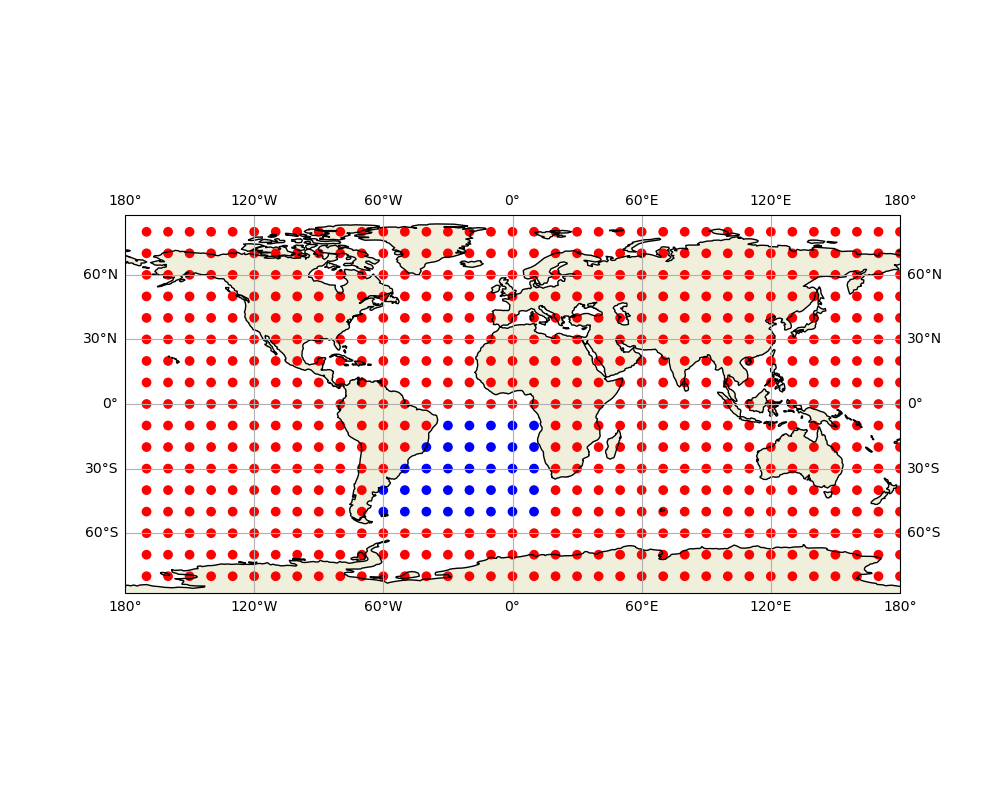
Text(1146.8907141578427, 0.5, 'Latitude (°)')
Next Steps#
This overview demonstrated common workflows. For detailed coverage:
Primitives and Basics: See Basic Geometric Primitives
Spatial Queries: See Spatial Predicates and Relationships
Geometric Operations: See Geometric Operations
Advanced Features: See Advanced Geometric Features
Satellite Analysis: See Satellite-Specific Geometric Operations
Key Points to Remember:
Always specify a spheroid for geographic calculations
Choose appropriate geodesic strategies (VINCENTY or KARNEY for accuracy)
Use vectorized functions for batch operations
Validate geometries before complex operations
Simplify complex geometries when appropriate
Happy geometric computing!
Total running time of the script: (0 minutes 6.006 seconds)
